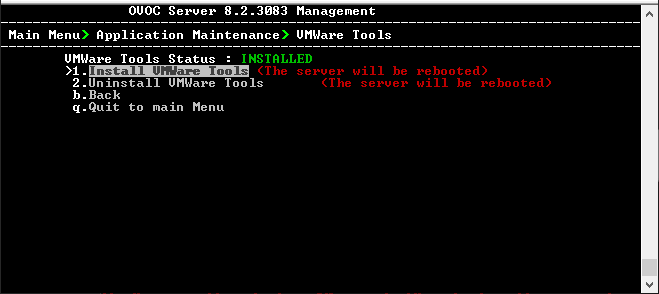
VMware Tools
This option installs VMware Tools on the OVOC Server file system. This feature requires the pre-mounting of the VMware installer CD-ROM on the Host machine. OVOC Server verifies the existence of the Tools package and then mounts the tool to OVOC Server file system.
| ➢ | To install VMware tools: |
| 1. | On the VMware Host machine, select the relevant OVOC Virtual Machine. |
| 2. | Select the Right-click menu, choose Guest OS > Install VMware Tools. |
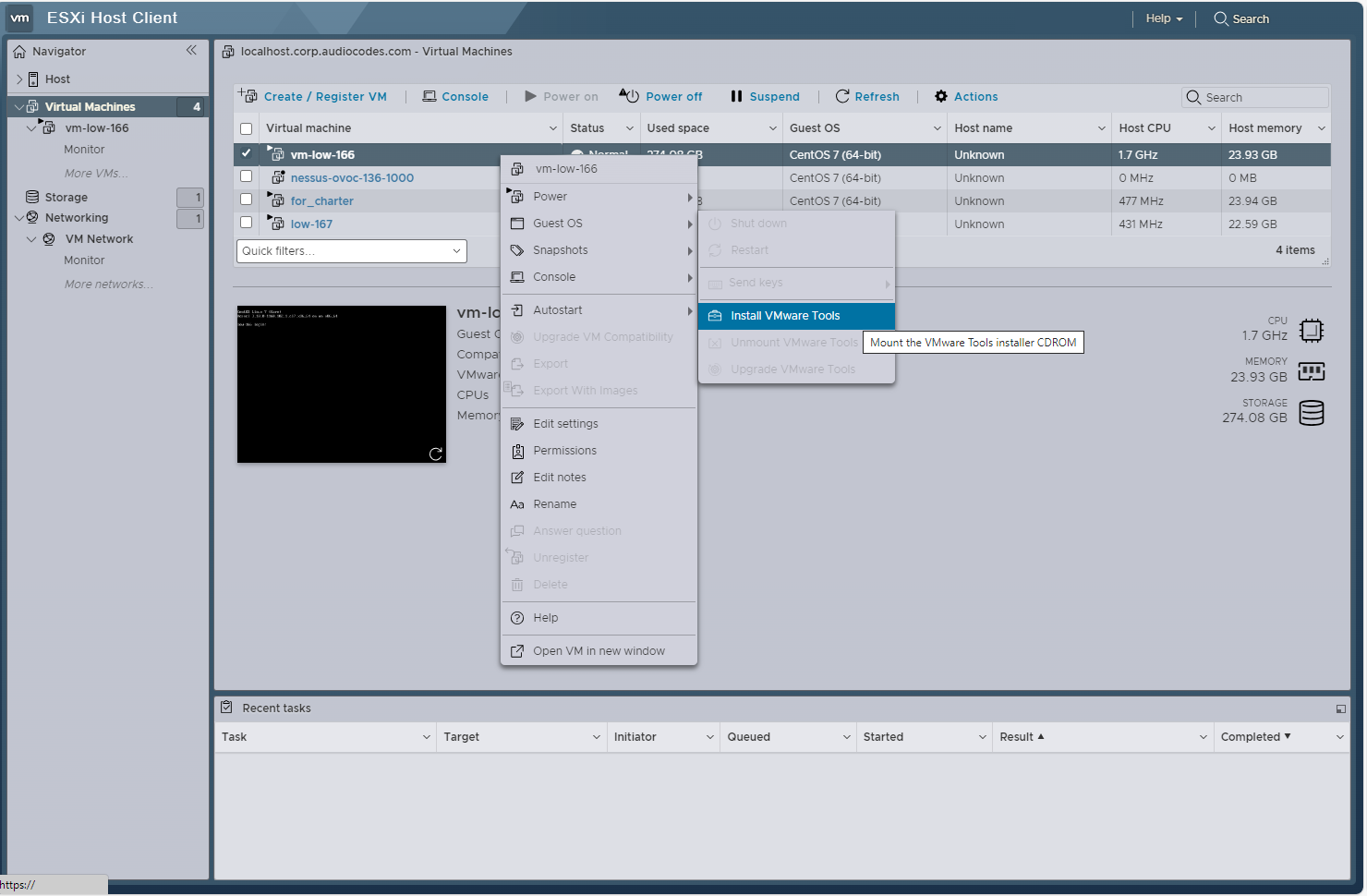
The Completed Successfully indication is displayed in the Task pane:

| 3. | Open Server Manager Application Maintenance menu, choose VMware Tools, and then press Enter. |

| 4. | Type y to confirm. The server is restarted. |

| 5. | Upon restart, OVOC verifies that the VMware Tools process is up; open the menu again and note that the Status is shown as Installed. |